
See how it works.
Then decide how to use it.
From the workspace and public registration page to the guest list,
follow the screens through a complete workflow.
These local demo screens contain fictional events and guests and show the Chinese interface. They explain the workflow without submitting registrations.
Ask about a guided demo (opens in a new tab)Start in the event workspace
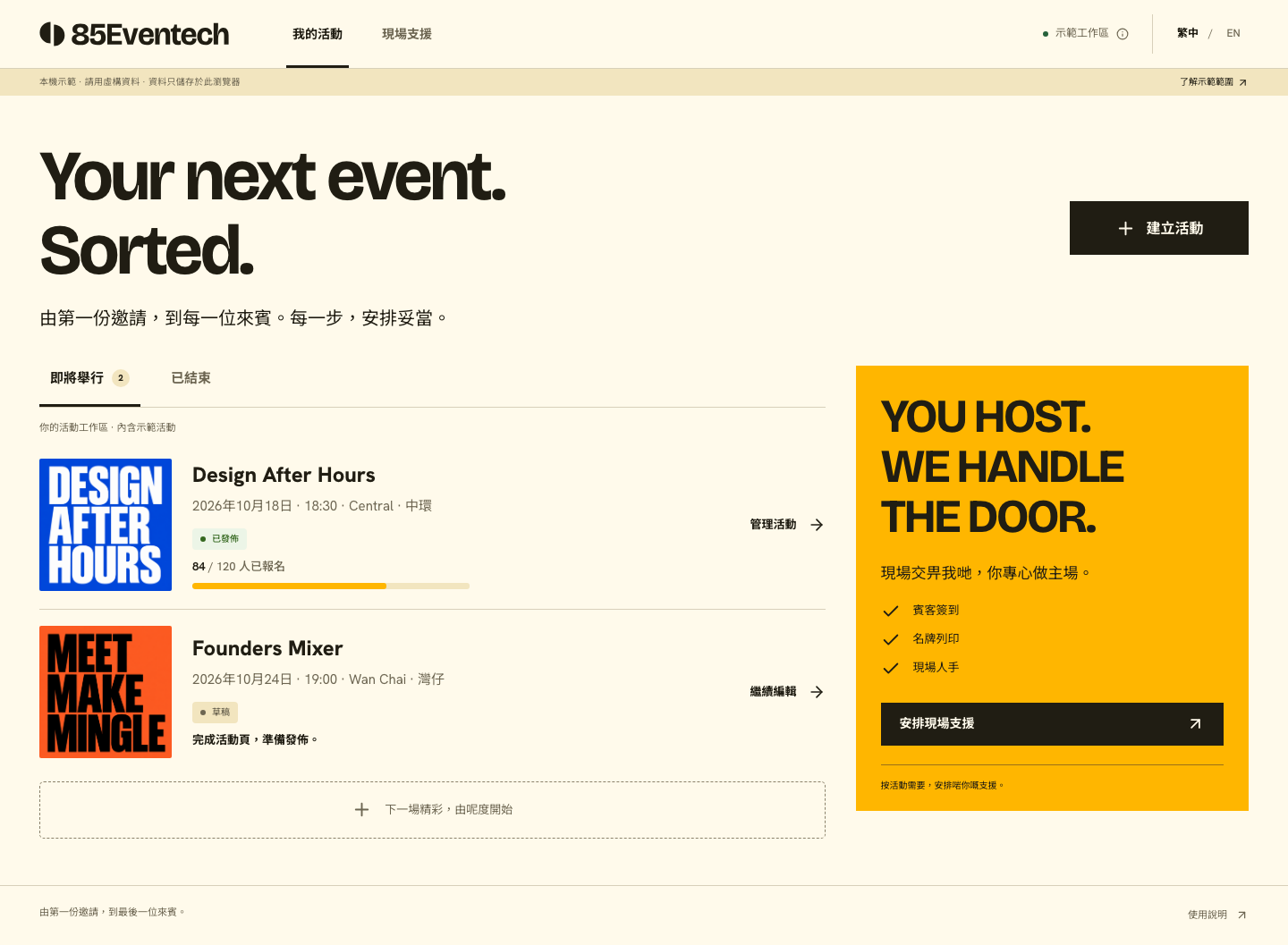
View events and registration status together, then manage each event. Raise a separate inquiry when onsite support is needed.
Help attendees understand and register
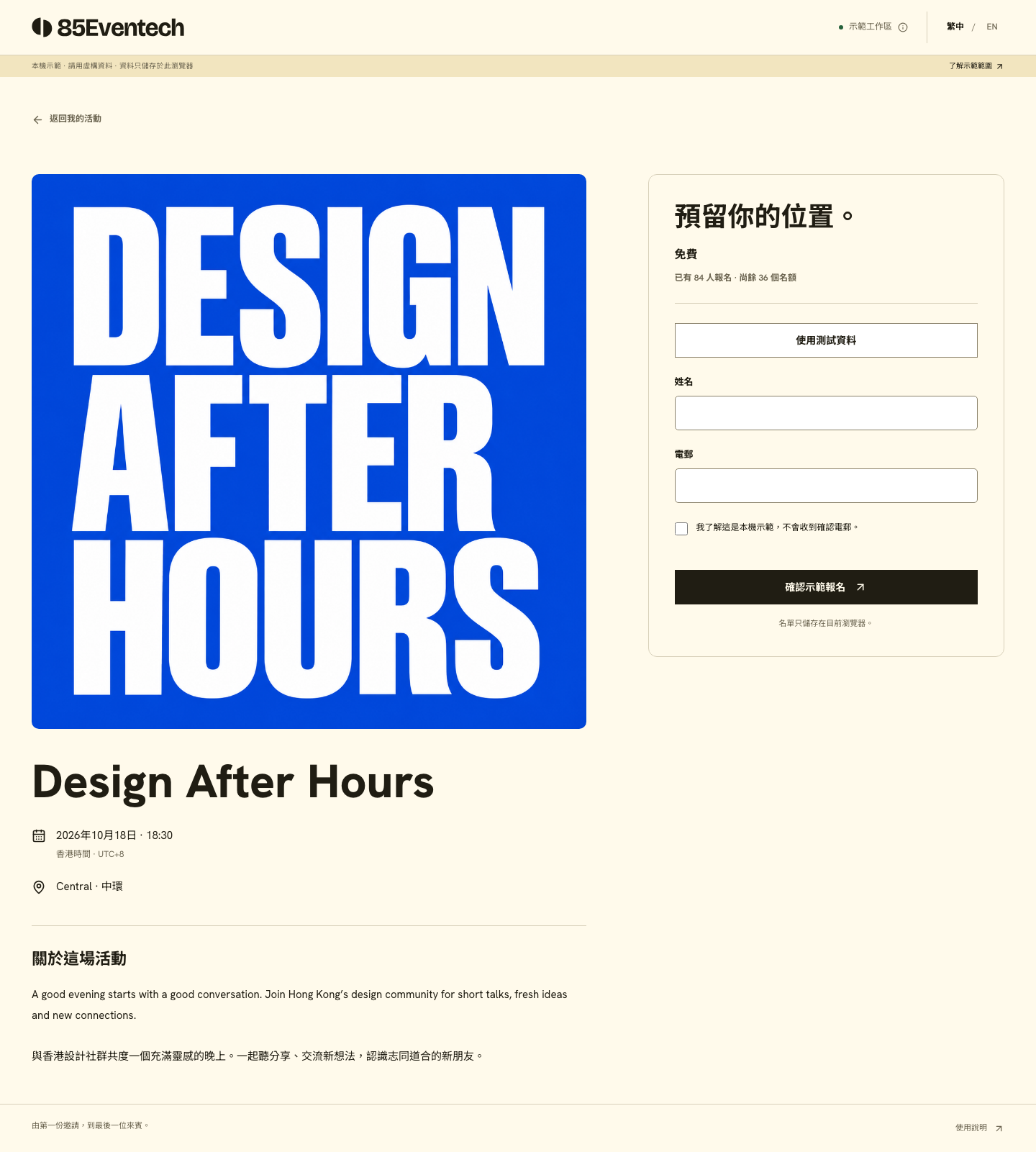
The public page presents event details and collects names and email addresses. Registration availability follows capacity, registration status and event timing.
Prepare your guest list for handover
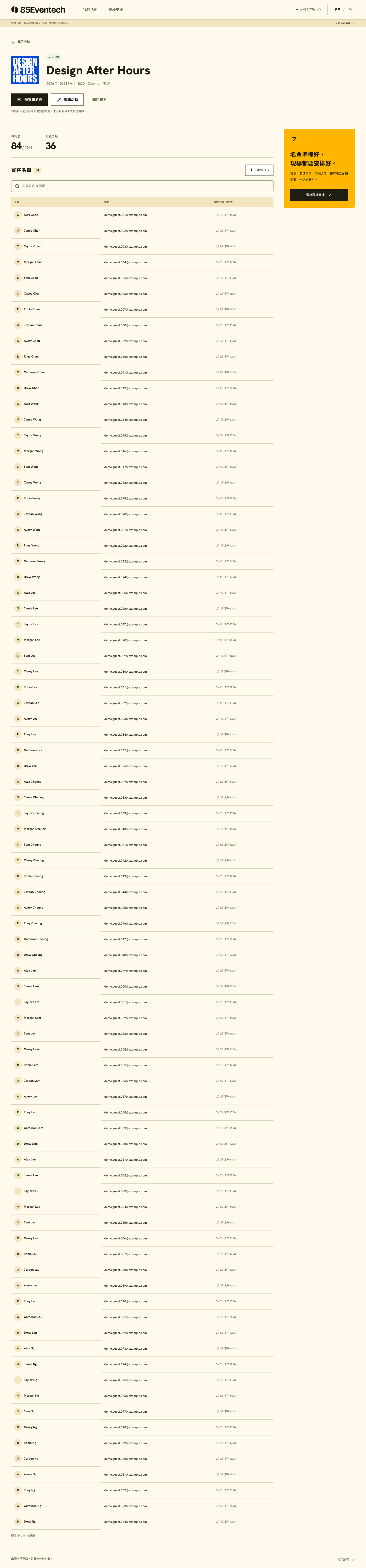
Search guests and export CSV. Export follows the current search results; clear search to export the full list.
Want to compare it with your event needs?
Tell us what kind of event you are planning so we can discuss the tool and onsite service scope.
Custom form builders, paid tickets and automatic confirmation emails are not currently available. Access and service arrangements will be explained separately.